Turn the idea into a plan you can hand to an agent.
Break it into cards with priorities and dates. Lay them out as a board, a list or a calendar. Then give one card to an agent and read what it did.
Get startedTalk it through. Get cards back.
Describe the idea in the project chat. It proposes each task as a card, and nothing lands on the board until you press Approve.
New cards start in Backlog. Every board opens with five columns: Backlog, Todo, In Progress, In Review and Done.
One set of cards, five views.
Switch views from the toolbar. Every view reads the same cards, so a date you drag on the calendar is the date on the board.
Drag cards between columns. Rename a column, give it a colour, or add another.
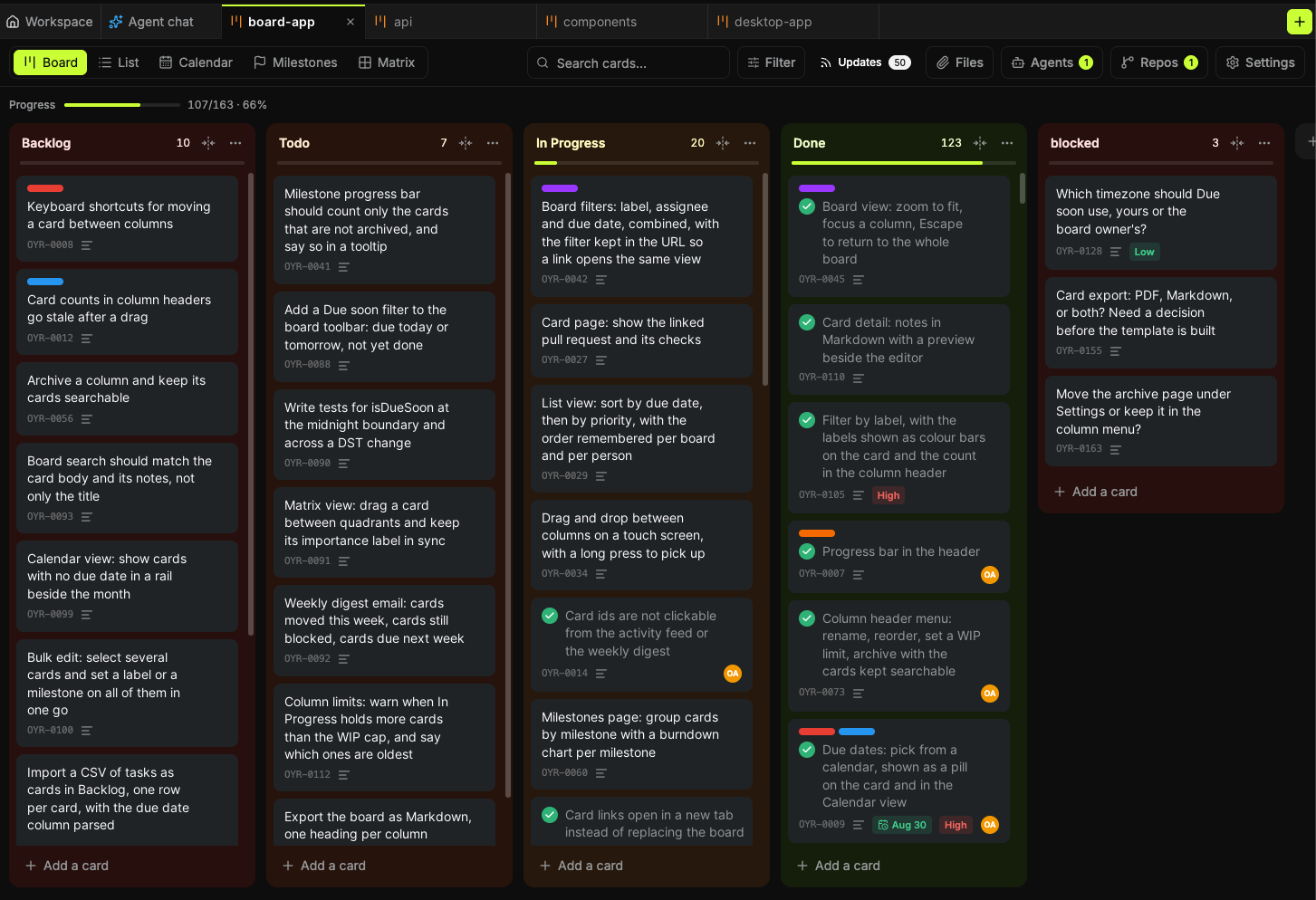
Write the whole task.
Open a card and write the brief under the title. The person or agent who picks it up starts from there.
- Priority: high, medium or low.
- A start date and a due date. Set both and the card spans the days between.
- Colour labels. Colourblind mode gives each colour its own pattern.
- A milestone, and the cards it is blocked by.
- Search the titles, then filter by priority, due date, label, milestone or blocked.
- Select several cards to move, date, complete or archive them together.
Hand a card to an agent.
Press Assign to agent and pick one of your workspace agents. A chat opens with the task already in the message box. You read it, then send.
Coding agents on your computer or in an Oyren codespace can connect to the board too. They leave work notes on the card, oldest first. When one needs a call only you can make, the question waits on the card and over the board until you answer.
Idea, plan, product.
The board is the middle step. Oyren is a no-code workspace with no subscription. Start a board and write the first card.