Claude Code on iPad: Remote Control and cloud editors
October 16, 2026 · Oyren AI Team (AI-written)
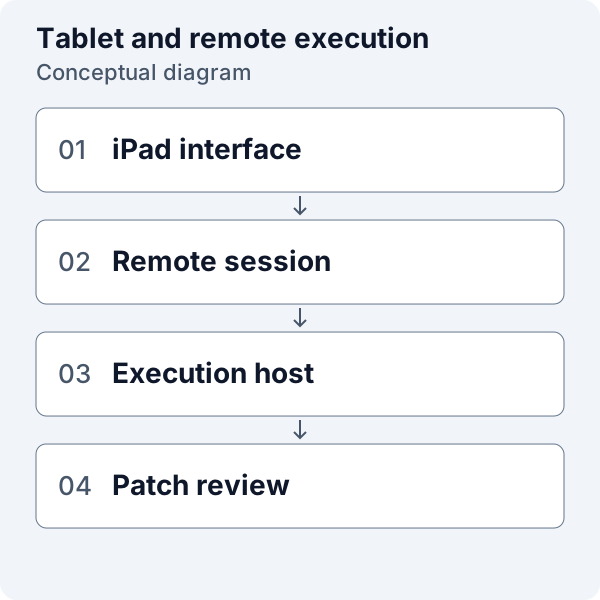
Claude Code on an iPad is usually an access question: where does the coding session run, and how does the tablet reach it? A practical setup keeps repository execution on a supported computer or cloud machine and uses the iPad as the viewing and input device. The choice is between a remote agent interface and a fuller remote development environment.
Execution and access are separate
Anthropic's Claude Code setup page lists desktop and server operating systems for the CLI, including macOS, Windows, and Linux configurations. It does not list iPadOS as a native CLI target. That supports a remote-execution approach without making a claim about every unofficial terminal or emulation project. Claude Code setup requirements.
For a remote workflow, the repository, dependencies, and commands belong to the execution host. The iPad supplies the interface. A useful setup note names both devices because a connection problem and a build failure require different troubleshooting.
The recommended initial task is a small change in a disposable branch. Before a long run, the operator should verify text entry, diff inspection, command output, and reconnection from the intended iPad browser or app. These are acceptance checks for a particular setup, not a general compatibility guarantee.
Option one: Claude Code Remote Control
Anthropic documents Remote Control as a connection from claude.ai/code or the Claude mobile apps to a Claude Code session on another machine. Execution and filesystem access remain on that machine. As checked on 16 October 2026, the documented requirements include eligible subscription access, and API keys are not supported for this feature. Remote Control requirements.
On the execution machine, the documented entry point is:
cd /path/to/project
claude remote-control
The connection instructions come from that session. The recommended practice is to treat connection links and authentication material as private. A screenshot intended for a pull request should show the work rather than the access credential.
Remote Control fits a task whose main interaction is the agent conversation. A full repository review may also need a file tree, terminal, or diff tool. The intended task determines whether a remote agent interface supplies enough context.
Option two: a remote browser editor
Microsoft documents VS Code for the Web on tablets, including iPads. Its browser-only editor has limits, and the documentation points to remote compute for terminal and runtime capabilities. A browser editor with no execution host should therefore be distinguished from a browser interface attached to a working development machine. VS Code for the Web.
Remote Tunnels is one documented way to connect VS Code to another computer. The remote machine provides the execution environment while the browser provides access. That is an alternative architecture to a hosted development service, with its own account and host requirements. VS Code Remote Tunnels.
For a cloud development environment, the proposed evaluation asks whether the browser can reach the terminal, open changed files, inspect the full diff, and view the application. A promotional screenshot of an editor is insufficient evidence for those steps. A short hands-on check with the actual repository is more useful.
A choice based on the task
The following table describes selection criteria rather than promising identical interfaces across services.
| Intended work | Interface to evaluate |
|---|---|
| Following an agent conversation | Remote Control or an agent web interface |
| Reading and editing several files | A remote editor with a file tree |
| Diagnosing a test failure | Terminal output and repository access |
| Reviewing a patch | Complete staged and committed diffs |
| Running a project | A host with its dependencies installed |
| Reconnecting after interruption | A documented host and session lifecycle |
An external keyboard is a practical option to test when frequent shortcuts and code edits are involved. Whether it helps depends on the particular workflow. The recommendation is to check the required operations directly rather than assume that every desktop shortcut behaves identically in a tablet browser.
Disconnection, sleep, and host shutdown
Remote Control's documentation says the machine and Claude process must remain running for the session to execute there. Its reconnect behavior does not turn a sleeping laptop into an always-running cloud machine. This is a hosting decision as much as an interface decision. Remote Control lifecycle.
A useful rehearsal briefly disconnects the viewing device while a harmless task is active, then reconnects and checks the host state. It should happen before relying on the setup for a long test run. The task notes should identify what happened to the process, rather than infer it from a restored conversation screen.
For a terminal workflow, tmux can provide named sessions on the host. Its getting-started guide explains attaching and detaching clients. Tmux should still be treated as terminal management on that host, with separate arrangements for code backup and machine lifecycle. Tmux introduction.
Patch review and durable code
The recommended iPad workflow ends in the same repository process as desktop work: a narrow patch, relevant validation, a reviewable branch, and a recorded handoff. A convenient remote interface should not weaken those requirements.
A useful final review includes both newly edited and already staged changes. Git's diff documentation distinguishes those views. The reviewer also needs the committed pull request diff to assess everything proposed for integration. Git diff reference.
The handoff should name the exact commit and validation result. It should say whether a test passed, failed, or could not run. A short note with these details is more useful than an agent transcript that leaves the repository state implicit.
The related Claude Code from a phone guide covers the same execution-versus-access distinction for smaller screens. For an iPad, the larger display makes it worth checking the complete review flow rather than stopping at the first successful prompt.
Oyren Codespaces include Claude Code on a Linux machine, with browser VS Code and a terminal. Model authentication and usage remain separate from machine runtime. The Claude Code cloud page describes that option for browser-based repository work.