Claude Code with a browser editor and terminal.
Claude Code comes installed in an Oyren Codespace. It works on files on a cloud Linux machine, with VS Code and a terminal in the browser. Authentication uses an Anthropic API key or a personal Claude sign-in.
Launch a Codespace with Claude Code
- 1
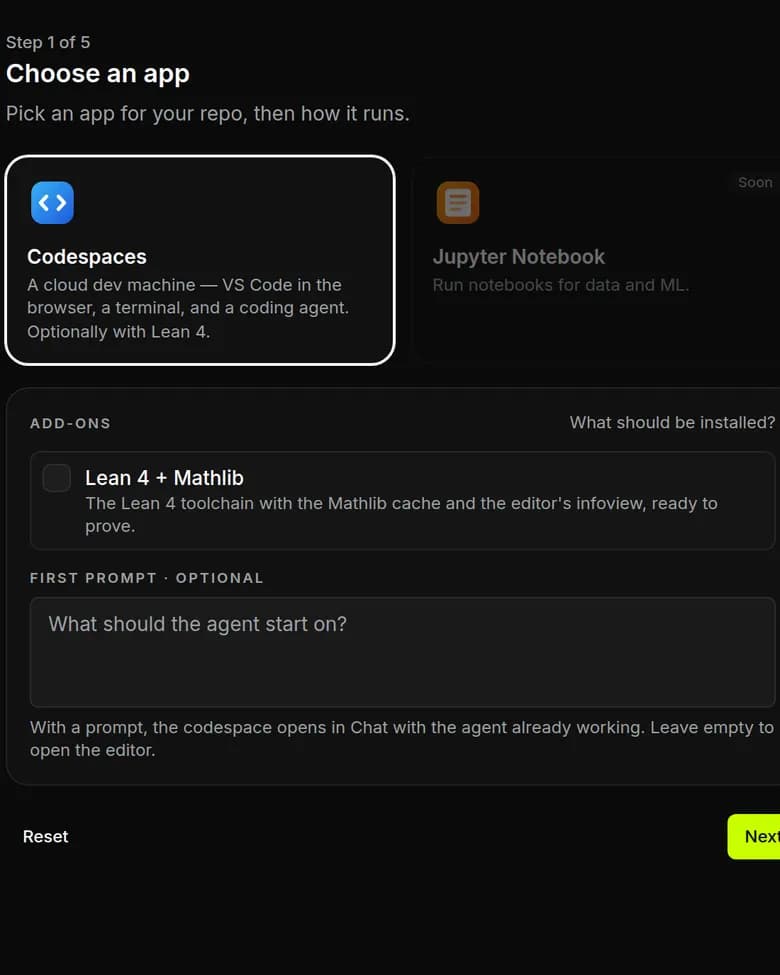
Choose Codespaces and a repository
In a workspace, choose Codespaces. Select a GitHub repository or skip it for an empty folder. The first prompt is optional.
- 2
Select Claude Code and its sign-in
Choose Claude Code on the Agent step. Attach a saved Anthropic API key or connected Claude account, or choose sign-in inside the Codespace.
- 3
Set the machine and runtime
Choose a machine size and runtime on the Server step, then launch. Open the VS Code terminal and run claude.
An Anthropic key or a Claude sign-in
Save an Anthropic API key in Settings, then select it in the launch form's Sign-in section. A connected Claude account can also be selected. For terminal sign-in, choose the option to sign in inside the Codespace and complete authentication there after launch.
# In the VS Code terminal after launch
claude
Oyren credits do not cover Claude Code model usage. It uses an Anthropic API key or a personal Claude sign-in. Codespace runtime is billed separately.
An app preview on the same machine
Daybook runs beside its original written note. The tracker has four habits, a completion grid and saved entries.


The machine around Claude Code
A dedicated Linux machine
Full Linux with sudo supports installing the build dependencies.
VS Code in the browser
Editor, file tree and terminal in one tab, on any device.
A terminal next to the agent
The agent and development server run in separate terminals.
A public URL
Every codespace has a public URL that routes a port for app access from any device.
Billed by the hour while it runs
Runtime is billed by the hour. Stopping the machine stops runtime billing.
Snapshots to pause and resume
Snapshots preserve the machine's state for later use and are billed monthly in credits.
Questions about Claude Code on Oyren
- Is an Anthropic API key required for Claude Code?
- Claude Code supports an Anthropic API key or a personal Claude sign-in. Saved keys and connected accounts can be selected at launch. Terminal sign-in is available inside the Codespace. Oyren credits do not cover its model usage.
- Can Claude Code start without a GitHub repository?
- Yes. Repository selection is optional. Skipping it starts with an empty /workspace folder. A first prompt is also optional: leave it empty to open the editor, or add a task to open the chat view.
- How does a Claude Code Codespace serve an app?
- Run the app on a port, then add a route in the Codespace's Public site controls. The public URL opens that app while the Codespace is running. VS Code and the terminal remain available for reviewing files and logs.
- What happens when a Claude Code Codespace stops?
- Runtime is charged in whole hours. Stopping the Codespace ends the session; closing the browser tab does not. A snapshot can save the machine for a later session. Snapshot storage has a separate monthly credit cost.
Codespace runtime and Claude Code usage
Paid plans include monthly credits. Codespace runtime is charged in whole hours. Claude Code model usage uses an external Anthropic key or sign-in and is billed separately.
View paid plans