Notes, boards and cloud machines for app development.
Lean4 and LaTeX maths notes
Oyren notes use LaTeX for equations beside written reasoning. Formal proof work takes place in a separate Lean 4 + Mathlib Codespace. Definitions, source PDFs and unresolved steps can remain in the workspace alongside explanations of the argument and the claims being formalised.
See plans and usage pricingA dedicated computer for Lean 4 work
Agents write notes and formalise statements in Lean 4 with Mathlib, 24/7. They run with bypass permissions, so they work on a dedicated Codespace instead of a personal laptop.

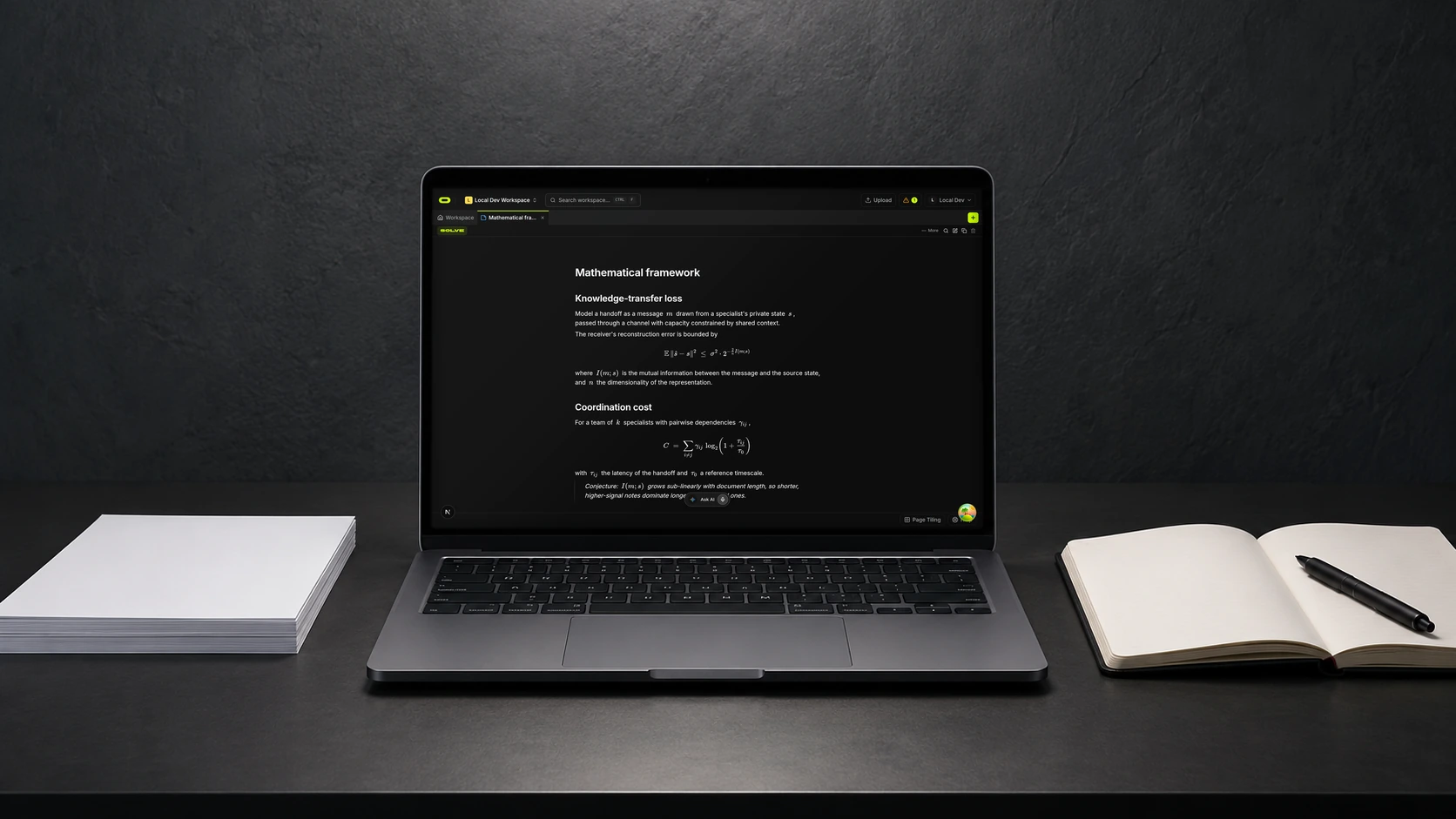

Equations with definitions and assumptions
A formula needs the meaning of its symbols and the assumptions behind it to remain understandable during a later reading. Oyren notes support inline and block LaTeX: a short expression can sit inside a sentence, while a longer equation can have its own space. Written explanations beside the notation record the argument without requiring the whole lecture to be reconstructed.
LaTeX notation formats an equation. It does not establish that the statement is true. The note records an explanation, including the reasoning and any missing steps. Those details are separate from the notation used to display the mathematical expression.
Formal claims in a Lean 4 Codespace
The codespace launch options include a Lean 4 + Mathlib add-on. This selects a development environment with the Lean toolchain, Mathlib cache and editor infoview. Its editor and terminal support work on formal definitions and proofs. The Lean environment is a codespace option, not an automatic proof checker inside every note.
A small claim from the notes can be stated with explicit assumptions and corresponding Lean code. The environment supports working through its proof. The formal statement still needs comparison with the intended claim: a checked statement is useful only when it represents the sentence being proved.
Notes alongside formal proof work
A paper or lecture PDF can remain in the workspace beside a note explaining how the formal work relates to it. Notation extracted from a scanned page needs comparison with the original before use in an argument. A changed subscript or missing hypothesis can alter the meaning even when the equation looks plausible.
Notes can record the chosen definitions, established steps and questions still open. Revising the prose after a proof session can clarify an ambiguity exposed by the formal version. The written explanation remains alongside the separate proof work that supports it, providing context for later reading.
Questions about lean4 and latex maths notes
- Does LaTeX in a note check my proof?
- No. LaTeX notation renders equations in the note. Formal proof work takes place separately in the Lean4 codespace.
- Where do I find Lean4?
- The Lean 4 + Mathlib add-on is a codespace launch option. It provides a toolchain environment with an editor and terminal.
- Can I keep a source PDF with my maths notes?
- Yes. PDFs and notes can remain in the same workspace. Formulas and assumptions need comparison with the original when a result is explained or formalised.