Notes, boards and cloud machines for app development.
Notes with a built-in calculator: units, currency and dates
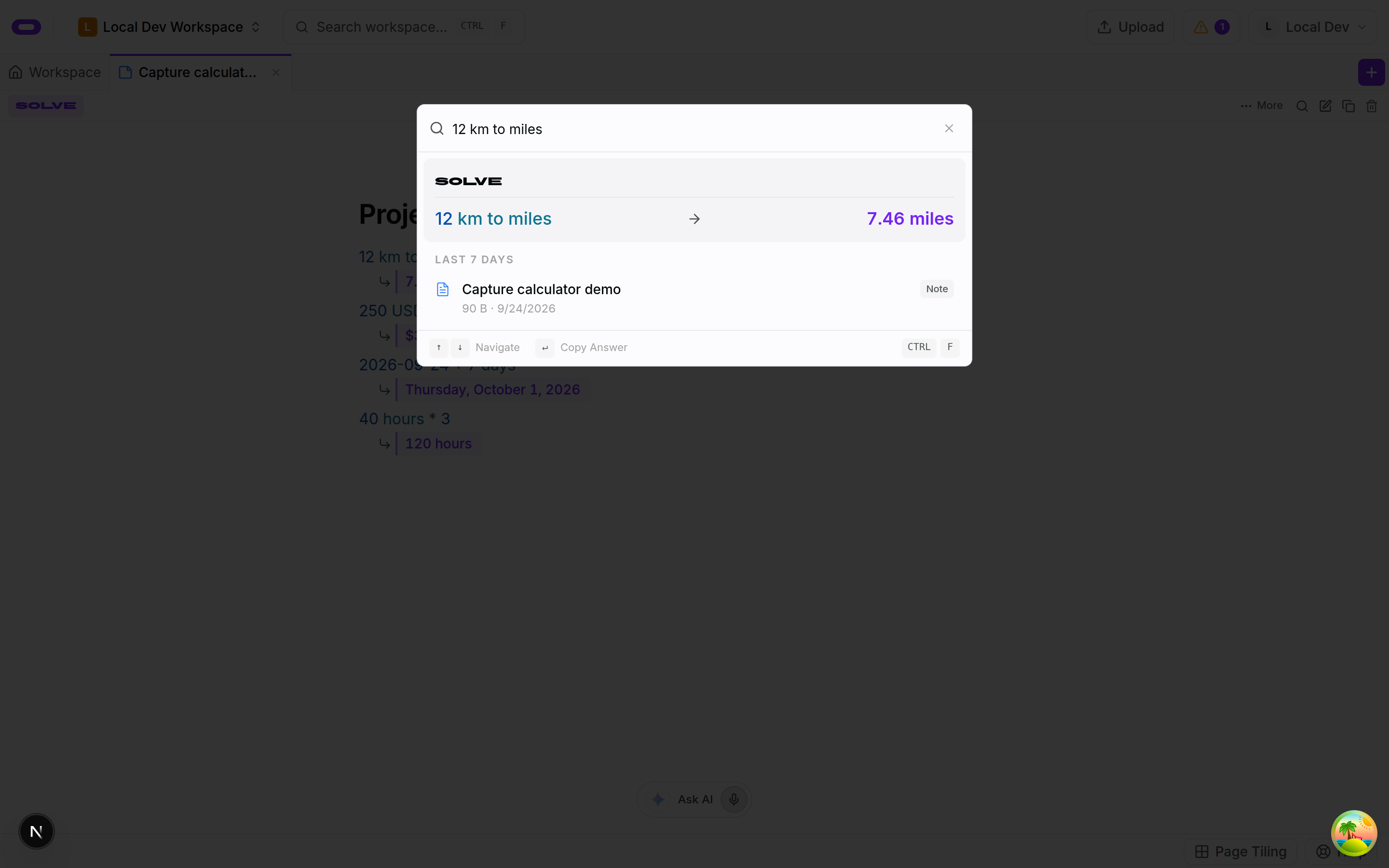
The Solve toggle enables calculations inside a note, with results beneath supported expressions and explanations still in view. Calculations cover arithmetic, units, currency, percentages and dates. Global search also evaluates expressions and provides an answer to copy for a calculation outside a note.
See plans and usage pricing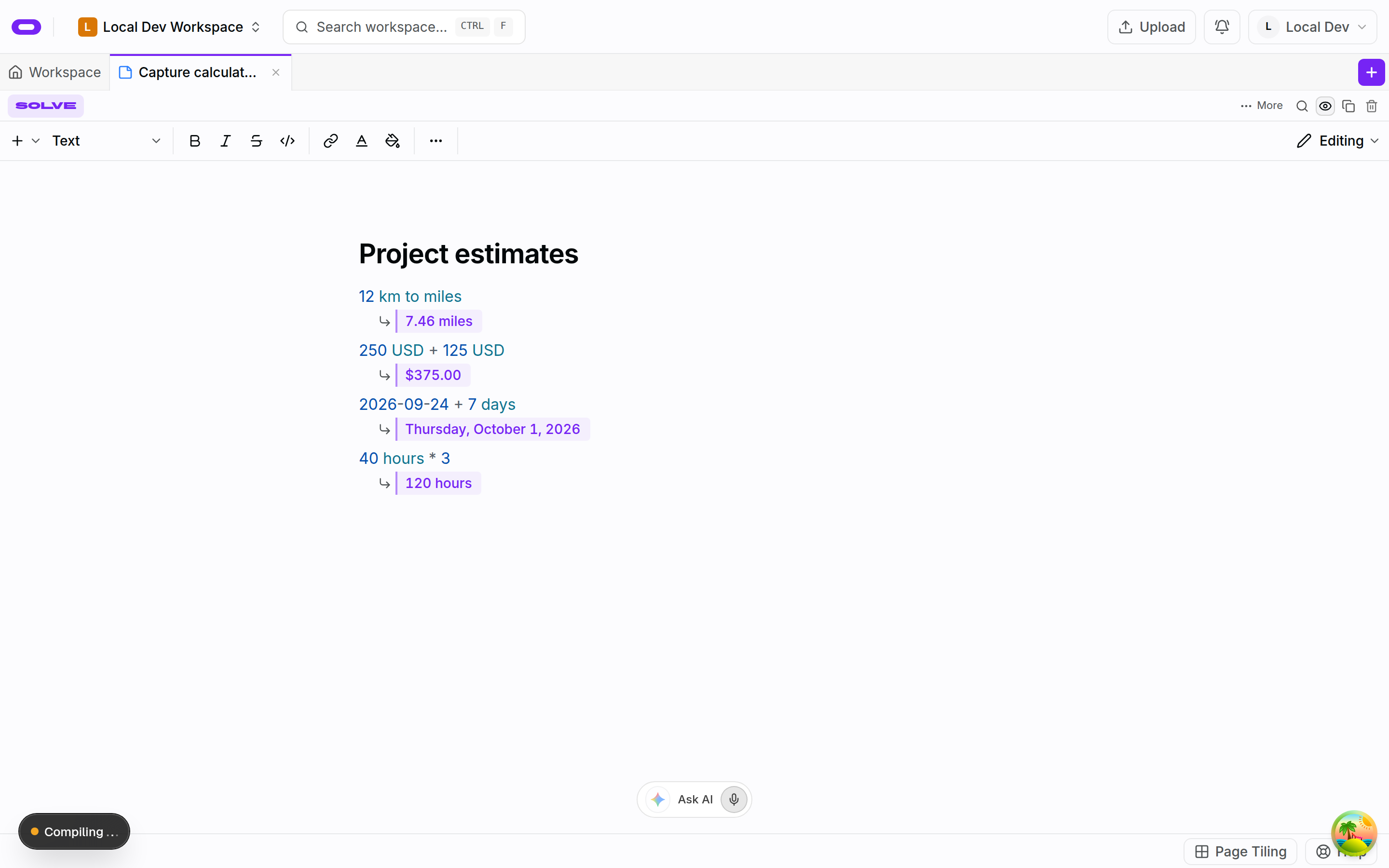
Calculations beside their explanations
The Solve toggle in the note header controls calculated results beneath supported expressions. Ordinary prose around each expression can record the assumptions and how the total was reached. An input can change while its explanation remains in the same note. Turning Solve off leaves the note available to read without the calculated results beneath its lines.
A note holds the context for a calculation that needs later review. An explanation of what a quantity represents and its unit gives meaning to an input. A project estimate, for example, needs the reasoning behind each input as well as the total. The expression can be edited as an input changes, with that explanation still beside it.
Units, currency and date expressions
The calculator handles arithmetic, unit conversions, percentages and date or time expressions. Currency calculations can fetch live rates. A value that is still resolving shows a loading state until its answer arrives. This distinguishes a calculation waiting for information from a finished result.
The unit and currency in an expression identify the quantity being calculated. A date calculation can sit beside context explaining what its answer means. Currency rates can change, so the assumptions recorded with an estimate remain relevant when its calculation is read later.
For Obsidian notes
Obsidian keeps Markdown notes in a local vault and computes inside a note through community plugins such as Numerals. Oyren notes are Markdown as well: the Solve toggle computes inside the note without a plugin, every note downloads as a Markdown file, and Markdown files from a vault import as notes with their headings and lists intact.
The difference is who else reads the note. An agent connected over the workspace MCP server reads the same note, including the calculated lines, so a budget written once serves the person editing it and the agent working from it.
Calculated answers in global search
Global search evaluates calculations as a query is typed. When the query resolves, the calculator card shows the expression and answer. Selecting the answer copies it while leaving the palette open. This provides a place for a quick calculation alongside the work in progress.
The expression uses the same highlighting as a solved note line. A calculation returning a colour shows a swatch beside the answer. Queries that are not calculations do not require a separate mode switch: the engine determines whether there is an answer to display. A longer calculation can remain in a note with its context.
Questions about notes with a built-in calculator: units, currency and dates
- Where do I turn on the note calculator?
- The Solve toggle in the note header controls whether calculated results appear under note lines.
- Can I calculate without opening a note?
- Yes. Global search evaluates supported calculations. The command palette shows the result and provides an action to copy the answer.
- Does the calculator use live currency rates?
- Currency calculations can resolve live rates. The calculator shows a loading state while a live value is being fetched.