Notes, boards and cloud machines for app development.
PDF OCR to Markdown Notes
PDF OCR turns scanned text into editable Markdown for notes. The source document stays in the workspace beside the extracted material and subsequent explanations. Formulas, tables and text need comparison with the original before the extracted content is relied on.
See plans and usage pricing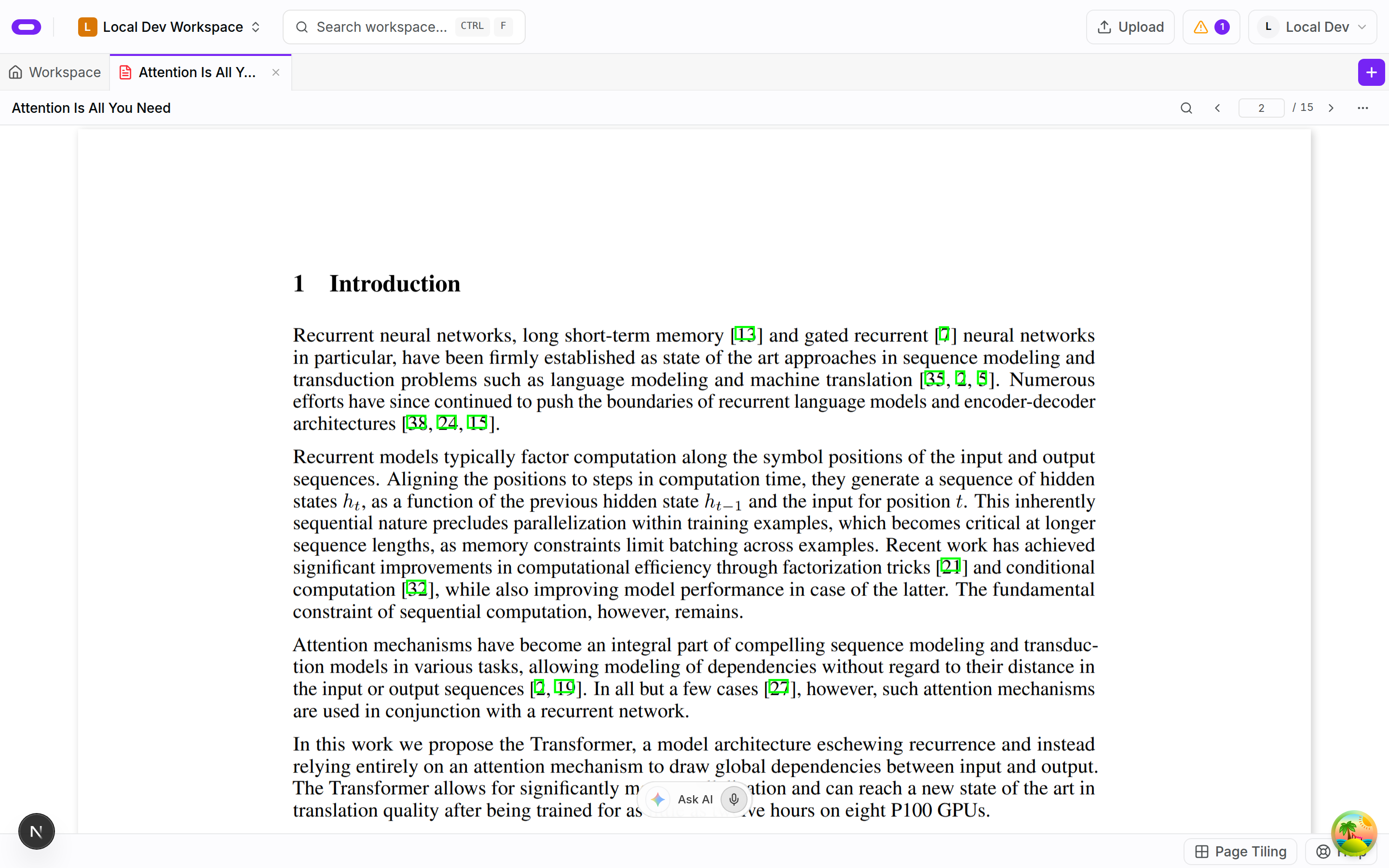
Editable text from scanned pages
A paragraph stored as a page image becomes a starting point for editable material through OCR. The extracted passage can be shortened, explained or developed into study notes. The scan stays in the same workspace as the notes, so the work can focus on checking and explaining the result rather than copying the paragraph by hand. The original remains the reference for that review.
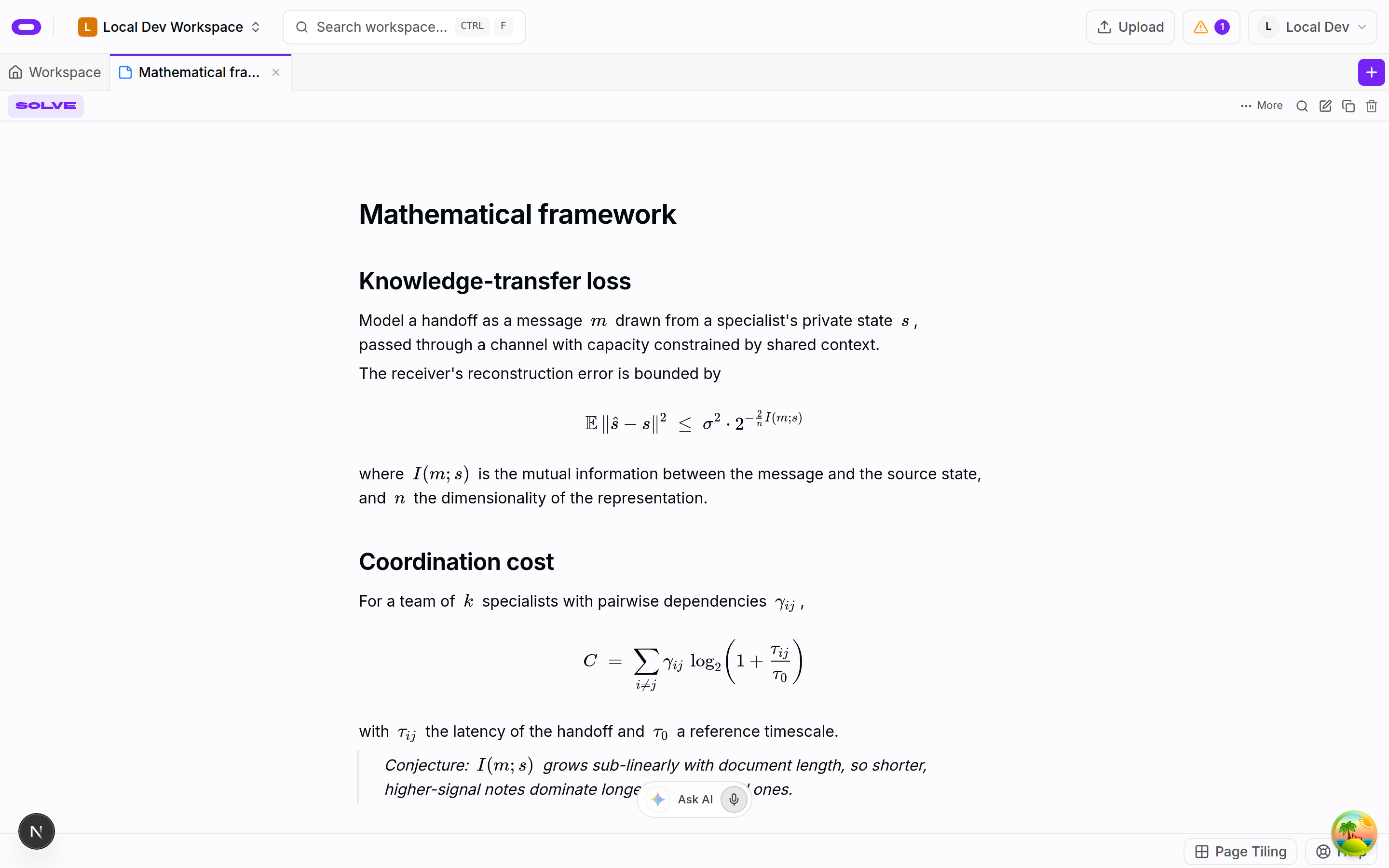
The scan-to-text workflow handles study material containing prose, images, formulas and tables. It provides a workable starting point for notes rather than leaving the material only inside a page image. Extraction is a draft for further review, not a substitute for checking the document.
Source documents beside extracted material
Open the source document alongside the extracted material and review the parts you plan to reuse. Check a formula symbol by symbol. Read table headings with their values. If a scan is faint or the layout is complicated, compare the output with the original before putting it into your own explanation.
Markdown gives extracted text a structure for continued editing. A section can be shortened or expanded with an explanation while the source document remains in the workspace for reference. An OCR result needs review, especially when a small character changes the meaning of a formula or sentence.
Notes developed from the source
A note can focus on a topic from the document, collecting important definitions and explanations alongside the parts still needing review. The PDF provides the original context when a passage needs another look. A reading list does not have to become a single long note for its material to support later work.
Extracted material can sit beside other notes and project files in the workspace. Editable explanations can be revisited and improved as understanding changes. The notes record the interpretation of the source, while the original document remains available to check that interpretation.
Questions about pdf ocr to markdown notes
- Can I use scanned PDFs?
- Yes. OCR reads text from scanned pages so the content can become editable material rather than remaining only an image.
- What happens to formulas, tables and images?
- The scan-to-text workflow is designed to retain those parts of study material. The extracted result needs comparison with the original, particularly mathematical notation and table structure.
- Is the output ready to use without checking?
- The output needs review first. Scan quality and document layout can affect extraction. The original PDF remains the reference while the notes are corrected and organised.